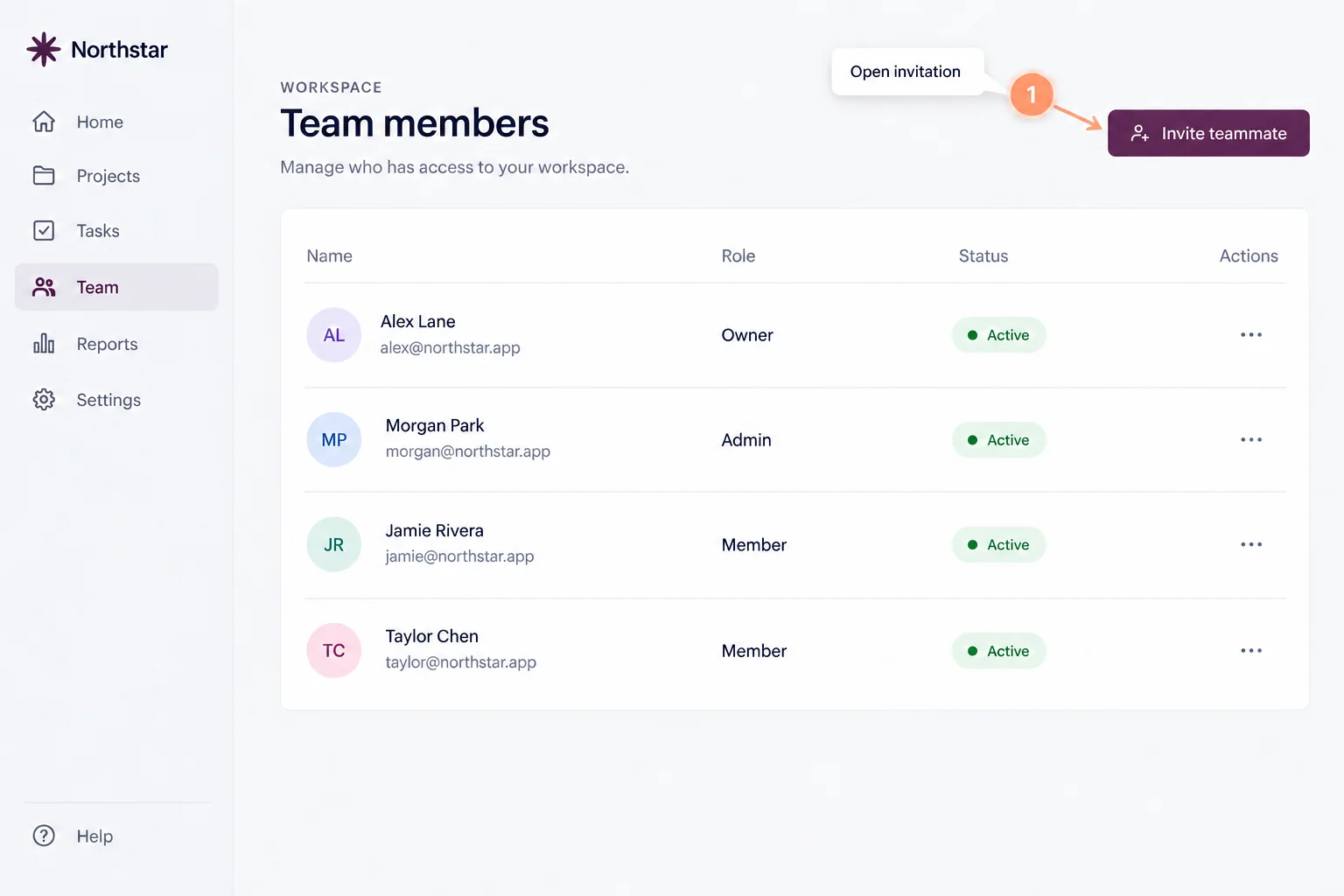
1Open the invitation
From the team members page, open the invitation dialog.
Customer support · Team training
A small workflow, made easy to follow. Explore three steps in a fictional workspace, with no account required.
All actions stay inside this example. No real invitation is sent.
Team members
From the team members page, open the invitation dialog.
Step 1 of 3
All instructions are visible. Choose a step to see its example screen. No real invitation was sent. This example does not change a workspace.
Interactive example
From the team members page, open the invitation dialog.
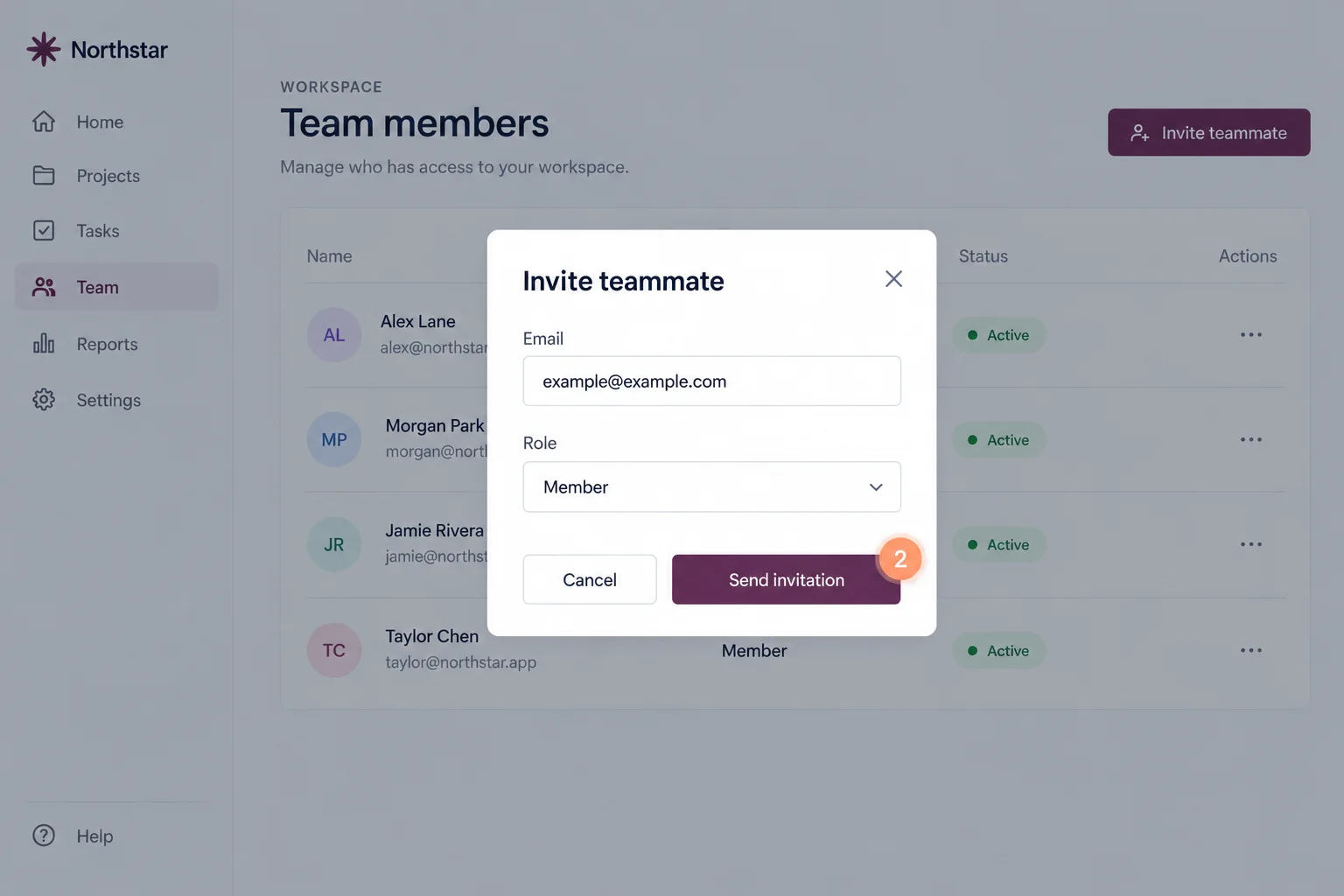
Review the example email and Member role, then continue.
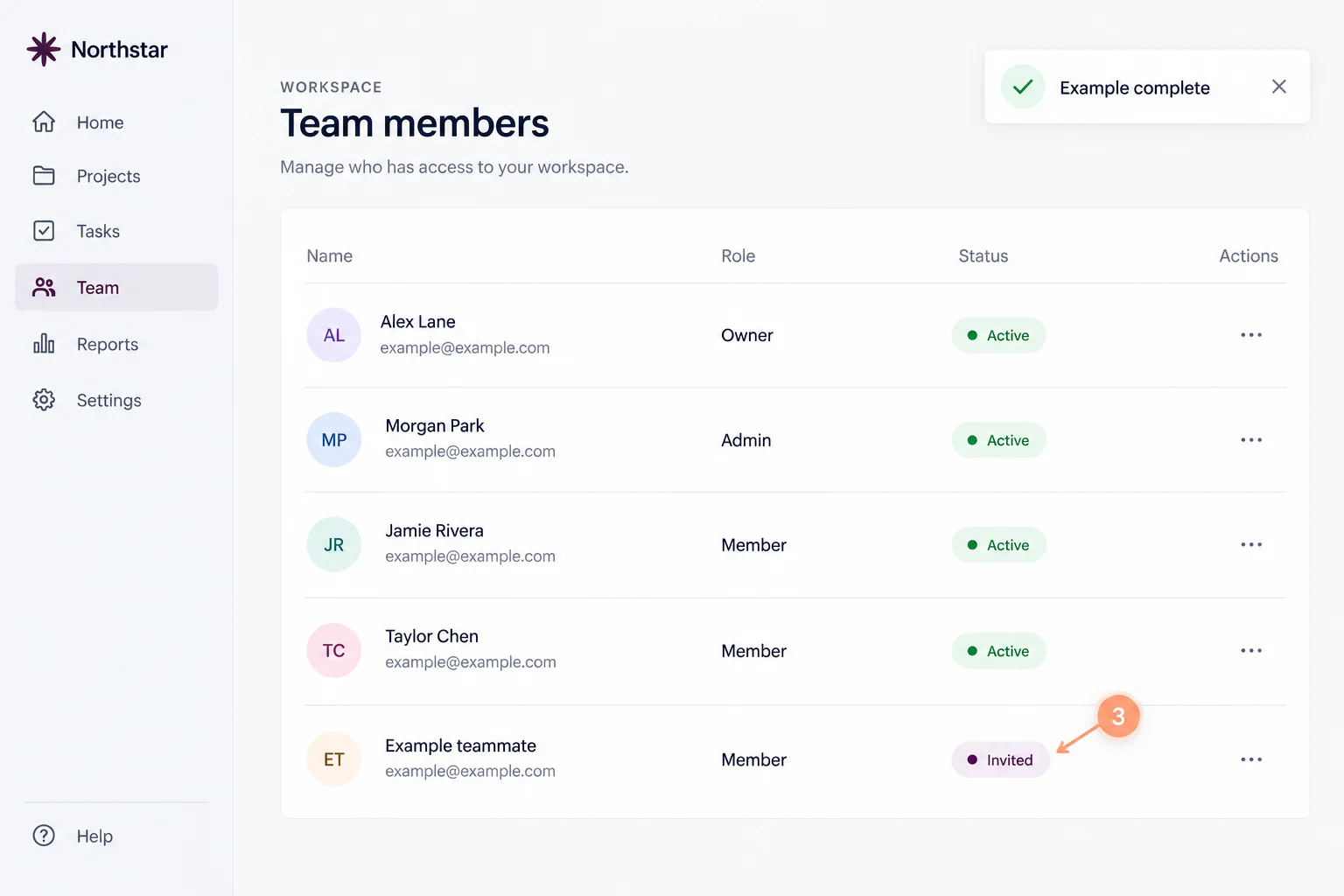
Check the invited status in the team list. You have reached the end of this example.
Capture your browser steps, refine the explanation, then share it with the people who need it.